서비스 중인 웹 사이트 : http://15.165.133.21:5173
개발 깃허브 : https://github.com/JejuTravel
[2024 데이터 공모전] Jeju Travel
[2024 데이터 공모전] Jeju Travel has 3 repositories available. Follow their code on GitHub.
github.com
서비스 개발 목적 : ‘2024 관광데이터 활용 공모전’ 참가 https://www.2024tourapi.com/
- 공모전 장려상 수상
- 공모전 특별상 수상
2024tourapi.com - 2024tourapi 자료와 정보
This domain has recently been registered with Namecheap.
www.2024tourapi.com
시현 영상 Demo Video
This video demonstrates how Kakao login and user consent are required to access and manage schedules via the Kakao Talk Calendar API. Users can create, view, update, search, and delete calendar events only after completing the login and additional consent process.
🔗 Live Web Service: http://15.165.133.21:5173/
💻 GitHub Repository: https://github.com/JejuTravel
🏆 Developed for: 2024 Tourism Data Utilization Contest
📝 Project Overview: https://doraemin.tistory.com/256
🔹 **Process Overview**
**1. Kakao Login**
* Click the "Login" bar on the main page.
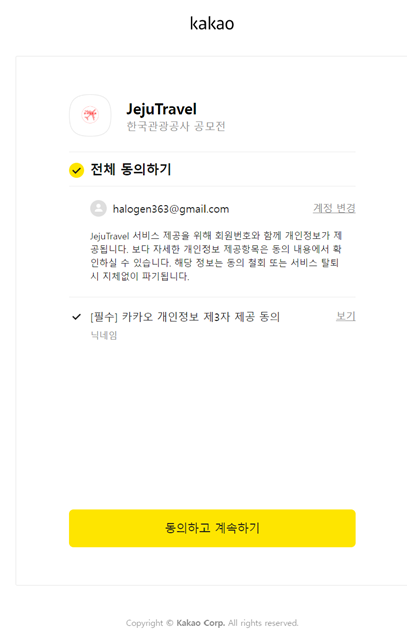
* Proceed with Kakao social login.
* After logging in, the "My Page" section becomes accessible.
**2. Kakao Talk Calendar Integration**
* Users can manage their schedules (create/edit/delete/search).
* If not logged in, a prompt will ask the user to log in with Kakao.
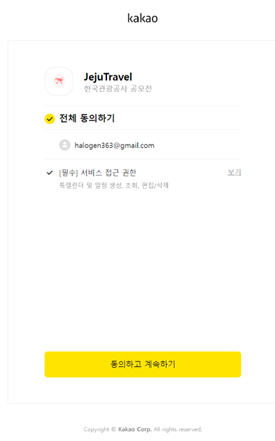
* Additional consent is required to access the Kakao Calendar feature.
* Consent can be given via the "Grant Additional Kakao Calendar Permissions" button on the My Page.
* After consent, schedules can be added with title, start/end dates, and description.
* Existing schedules can be edited or deleted from the results shown below.
프로세스 내용 ;
로그인 및 동의를 진행해야지만이 -> 카카오 캘린더 기능으로 일정을 작성/확인/수정/삭제/검색을 진행할 수 있음을 보여줍니다.
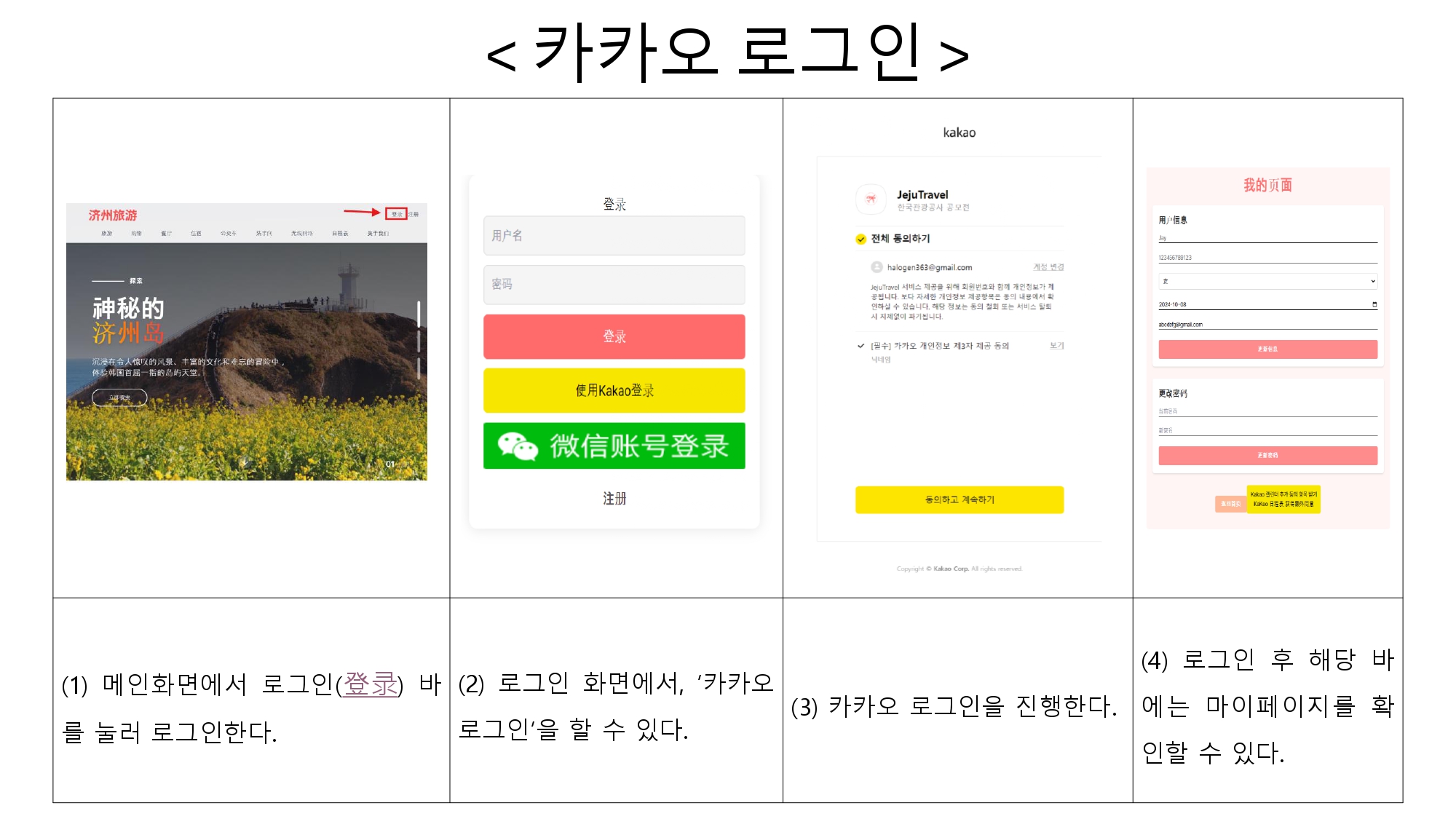
< 카카오 로그인 >
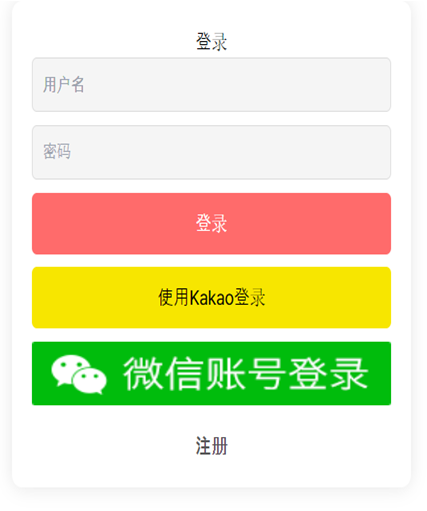
(1) 메인화면에서 로그인(登录) 바를 눌러 로그인한다.

(2) 로그인 화면에서, ‘카카오 로그인’을 할 수 있다.
(3) 카카오 로그인을 진행한다.
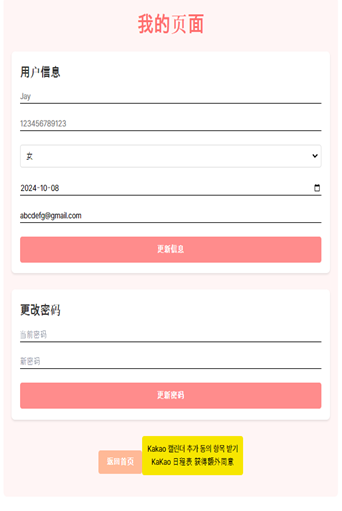
(4) 로그인 후 해당 바에는 마이페이지를 확인할 수 있다.
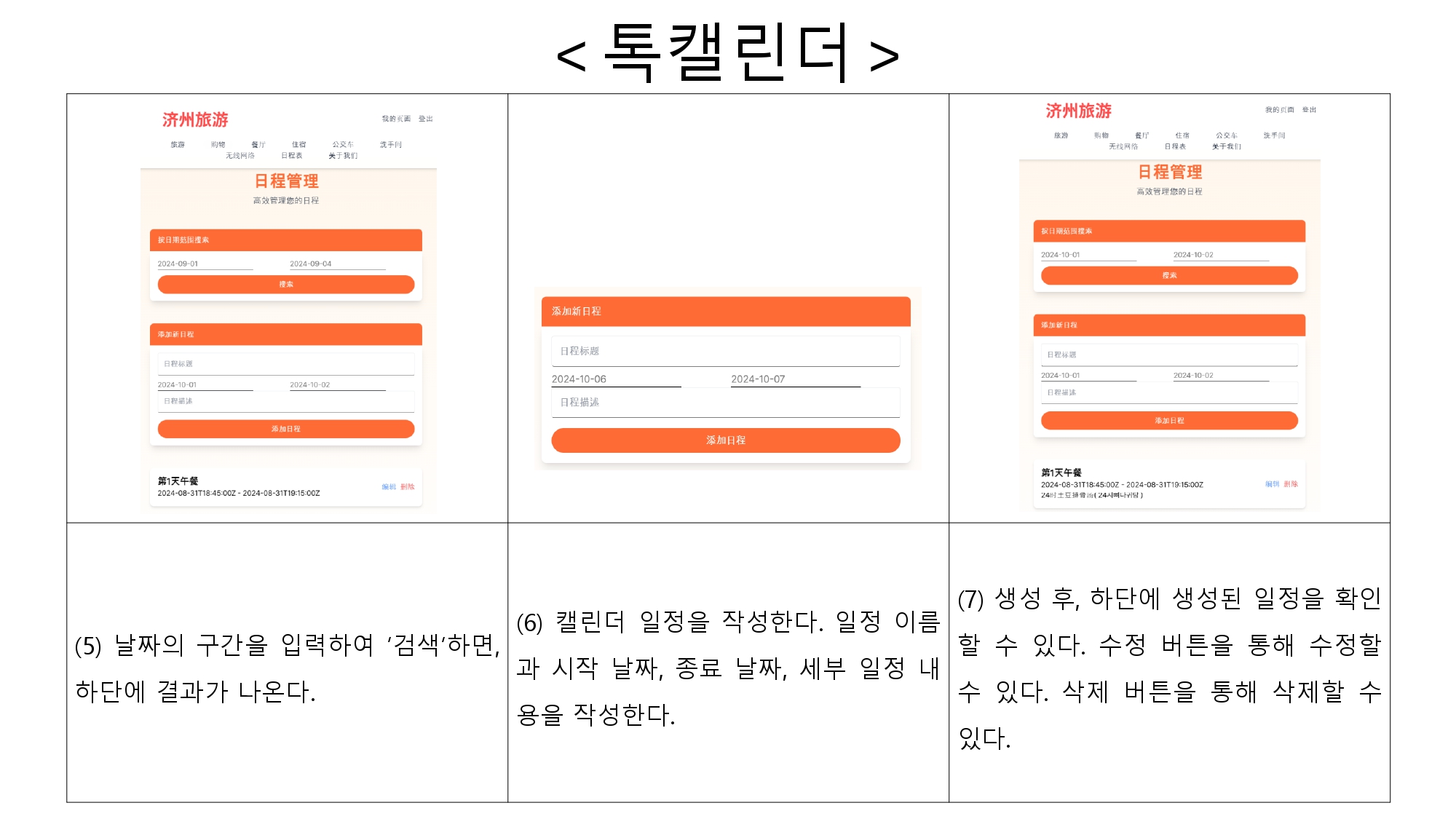
< 톡캘린더 >
(1) 일정 관리 페이지에서 나의 일정을 생성, 수정, 삭제, 검색할 수 있다.

(2) 카카오 로그인으로 로그인을 안 했을 경우, 카카오 로그인을 하라는 창이 뜬다.
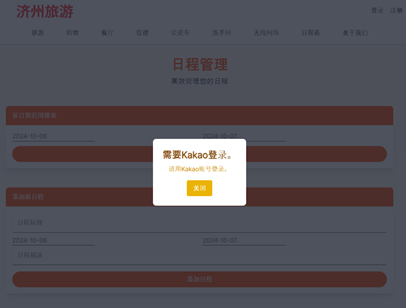
(3) 카카오 로그인 후에도, 캘린더 작성을 위해서는 추가 동의가 필요하다.
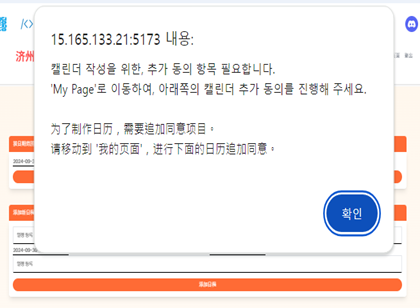
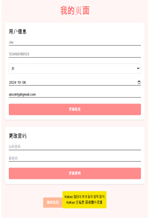
(4) 마의페이지 하단의 ‘Kakao 캘린더 추가 동의 항목 받기’ 버튼을 통해 동의를 받는다.
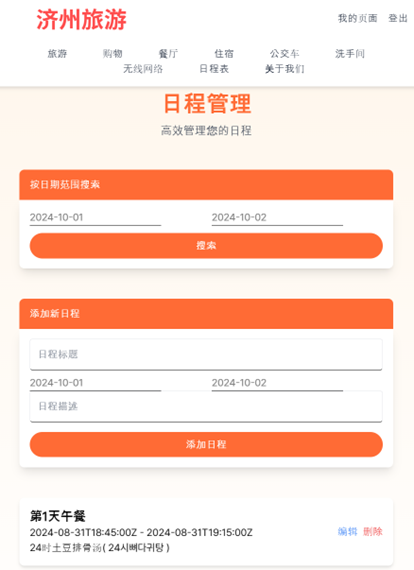
(5) 날짜의 구간을 입력하여 ‘검색’하면, 하단에 결과가 나온다.
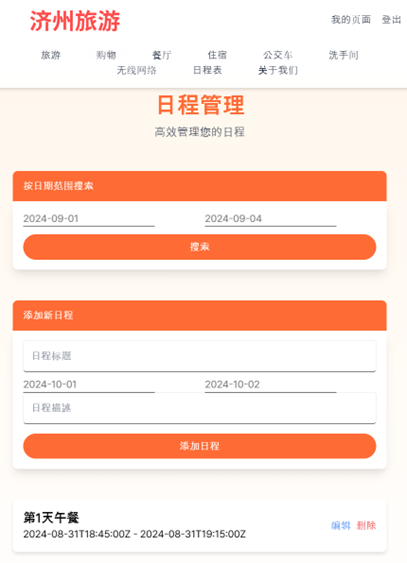
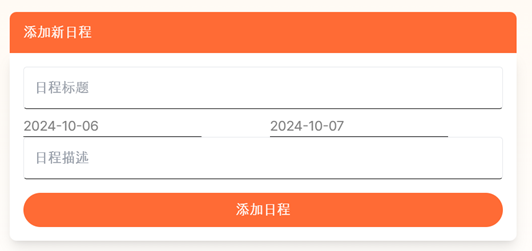
(6) 캘린더 일정을 작성한다. 일정 이름과 시작 날짜, 종료 날짜, 세부 일정 내용을 작성한다.
(7) 생성 후, 하단에 생성된 일정을 확인할 수 있다. 수정 버튼을 통해 수정할 수 있다. 삭제 버튼을 통해 삭제할 수 있다.
정리

'Web Development' 카테고리의 다른 글
| [SQL] DATE TIME UTC to KST 시간 변경 (불가!?) (0) | 2025.04.02 |
|---|---|
| [Kakao Login] 비즈니스 정보 심사 과정 (0) | 2025.02.24 |
| [GitHub] Organization 관리하기 (1) | 2025.02.03 |
| [공모전] README.md (1) | 2025.01.24 |
| [GitHub] Organization vs. Repositories (collaborator, contributor) (2) | 2025.01.21 |


